

Alpha v0.0.6 represents a quantum leap for Flow-Like. This isn’t just an update; it’s a transformation. We have introduced an AI-powered assistant to help you build (FlowPilot), a dedicated system for creating autonomous agents (Agent Builder), and the long-awaited Real-Time Collaboration engine.
On top of that, we’ve shipped over 5 integration suites, including Microsoft Office, Google Workspace, and GitHub, alongside powerful developer tools like the Monaco Editor and native tool calling.
Highlights
- FlowPilot (#373) — Your AI partner for building and editing workflows intelligently.
- Agent Builder (#389) — A dedicated interface for designing and deploying autonomous AI agents.
- Real-Time Collaboration (#338) — Build together with live cursors and instant sync.
- Massive Node Library — Native nodes for Microsoft Office, Google Workspace, GitHub, Notion, and Atlassian.
- Dev Tools — Monaco Editor integration, MCP Client node, and Native Tool Calling.
- Chat Improvements — “Thinking” visualization for reasoning models and Markdown support in logs.
AI & Agents
FlowPilot
Building complex flows just got easier. FlowPilot is our new AI assistant embedded directly into the editor. It understands your graph context and can help you generate nodes, refactor logic, and explain complex sections of your workflow.
Agent Builder
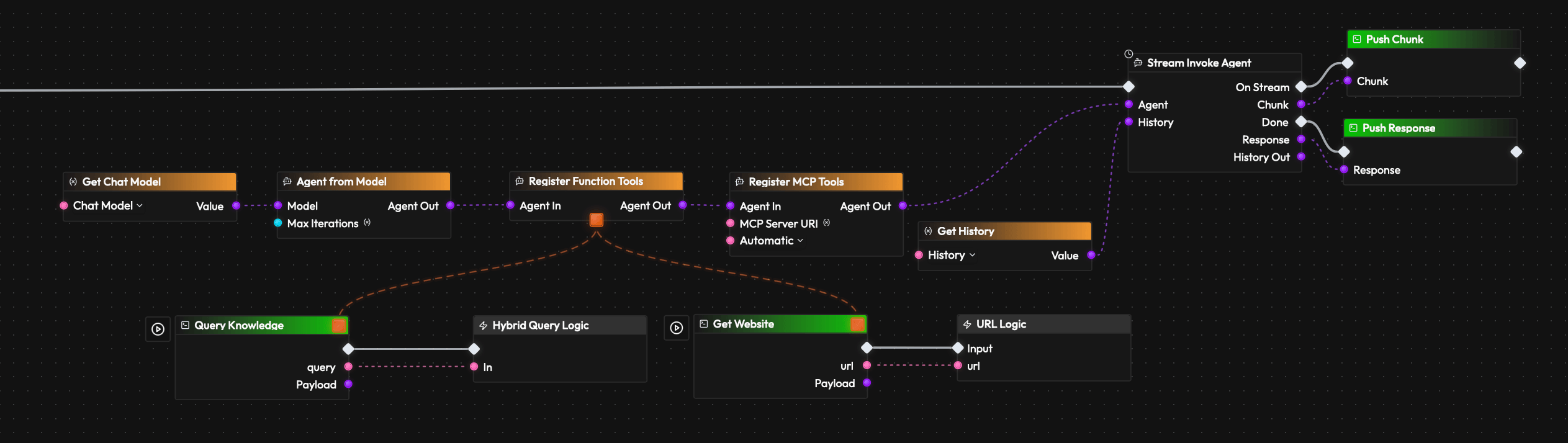
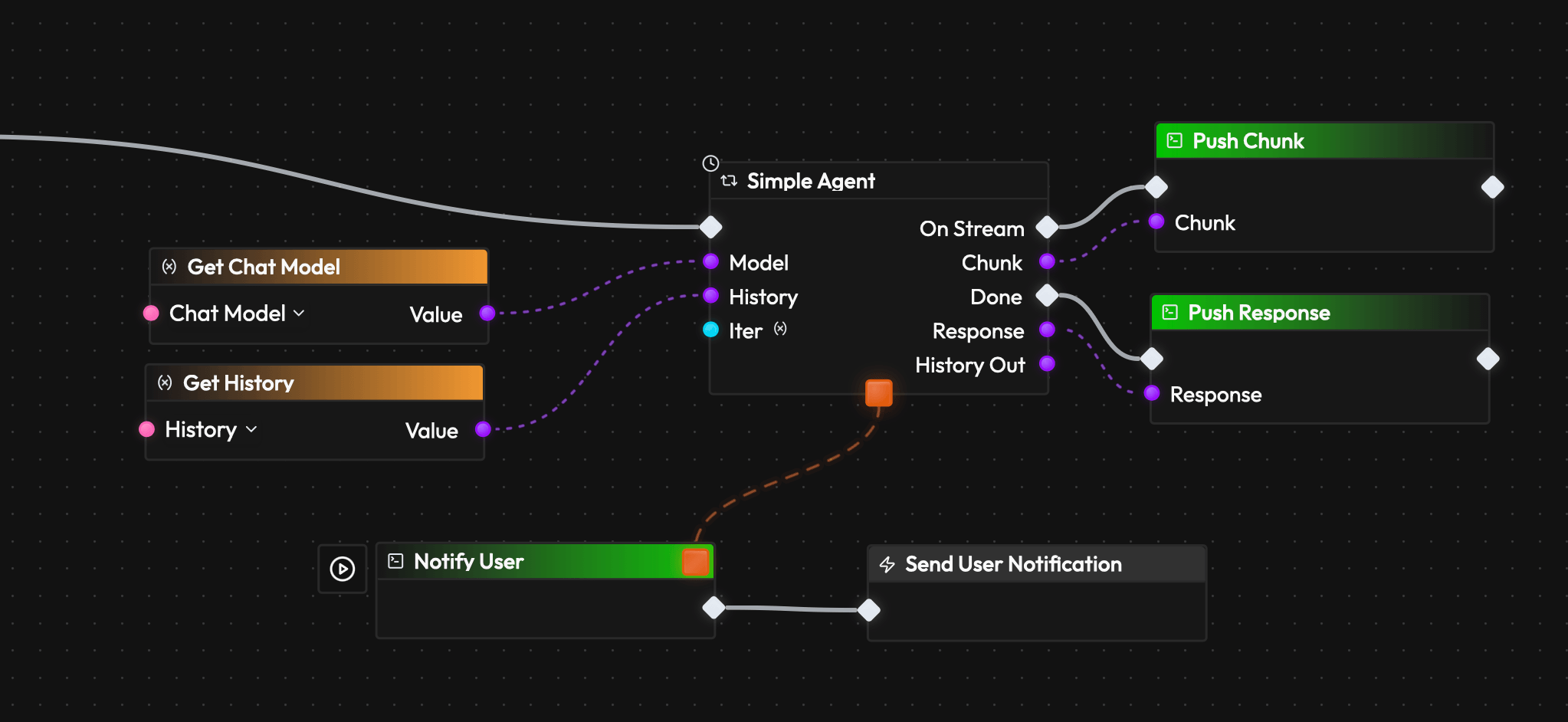
We are moving beyond simple chains. The new Agent Builder allows you to construct sophisticated agents with persistent state and complex reasoning capabilities.
- Native Tool Calling (#309): Agents can now natively call tools defined in your graph.
- Function References (#360): Pass functions dynamically between nodes, enabling higher-order agentic behaviors.
- Reasoning Tokens (#394): See the “thinking” process of reasoning models (like o1 or r1) directly in the chat interface.
Real-Time Collaboration
Work doesn’t happen in a silo, and now, neither does Flow-Like.
- Live Sync: Changes made by one user are instantly reflected for everyone else.
- Presence: See who is currently viewing or editing the project.
- Conflict Resolution: Our new backend ensures smooth merging of edits even during intense co-creation sessions.
New Integrations
We have dramatically expanded the ecosystem with 5 new major node suites, allowing you to automate your entire office stack:
- Microsoft Office Nodes (#409): Automate Excel, Word, and Outlook directly from your flow.
- Google Workspace Nodes (#408): Read/write to Sheets, Docs, and manage Calendar events.
- GitHub Nodes (#412): Automate PRs, issues, and repository management.
- Notion Nodes (#411): specialized nodes for managing Notion databases and pages.
- Atlassian Nodes (#413): Jira and Confluence automation built-in.
- MCP Client Node (#278): Support for the Model Context Protocol to connect any MCP-compliant tool.
Developer Experience & Core
Enhanced Editor
- Monaco Editor (#393): We’ve integrated the Monaco Editor (VS Code’s engine) for all code editing and file previews. Writing Python/JS snippets or editing text files is now a first-class experience.
- Editable Text Files (#416): You can now directly edit simple text files in the storage tab.
- Node Detail Overview (#384): A redesigned panel to view node properties and state clearly.
Logging & Debugging
- Markdown in Logs (#386): Logs now render Markdown, making it easier to read rich output from LLMs or complex data structures.
- Improved Logging Node (#341): More control over what gets logged and how.
Core Architecture
- Rig Implementation (#327): We replaced our legacy GenAI implementation with Rig, a more robust and flexible library for handling LLM interactions.
- Third-Party Logins (#110): A simplified way to manage OAuth and authentication for all the new external integrations.
- Struct Improvements (#48, #62): Added generic “Make” and “Break” nodes for Structs, plus Dot Notation support for easier field access.
Bug Fixes
We squashed countless bugs to ensure stability:
- Undo/Redo (#392): Fixed inconsistencies where undo would sometimes fail or desync.
- Large Files (#253): Frontend no longer crashes when trying to display or process large text files.
- Focus Node Bug (#401): Fixed issues where the editor would lose focus on the active node.
- Context Menu (#378): Right-click no longer accidentally places nodes immediately.
What’s Next
With the foundation of Agents and Collaboration in place, we are looking forward to:
- Refining FlowPilot: Making the assistant even smarter.
- More MCP Integrations: Expanding the universe of available tools.
- Stability & Performance: optimizing the new collaboration engine.
Update to Alpha v0.0.6 today and experience the future of collaborative automation.
Get automation insights delivered
Sign up for our newsletter to receive the latest updates on Flow-Like, automation best practices, and industry insights. No spam — just valuable content.